
Republic Republic Republic
  • Log in
Open account
Oops! We couldn’t find any results...
Can’t find a deal? Try advanced search.
Is something missing? Add your suggestion here.
Primary market Live deals Trading Buy and sell Republic Note Own a piece of Republic's upside
Republic Ventures Opportunities for accredited investors
Republic Capital Multi-stage venture firm
Wallet Manage your digital assets Mobile app Available on iOS or Android Learning center Explore investor resources FAQ Get your questions answered
Capital fundraising Raise on Republic Tokenized assets Design, launch, manage tokenized assets Sharedrops Gift equity as a reward Founder Academy A complete guide to raising funds
Advisory Access veteran web3 advisors Infrastructure Stake your digital assets Tokenization Deploy your assets on-chain
Republic Capital In-house Venture Capital fund Broker dealer Regulated capital services
Republic Republic Republic
Oops! We couldn’t find any results...
Can’t find a deal? Try advanced search.
Is something missing? Add your suggestion here.
  • US

  • Log in
  • Open account
All investors
Primary market Live deals Trading Buy and sell
Republic Note Own a piece of Republic's upside
Accredited only
Republic Ventures Opportunities for accredited investors
Institutional
Republic Capital Multi-stage venture firm
More
Wallet Manage your digital assets Mobile app Available on iOS or Android Learning center Explore investor resources FAQ Get your questions answered
Growth capital solutions
Capital fundraising Raise on Republic Tokenized assets Design, launch, manage tokenized assets Sharedrops Gift equity as a reward Founder Academy A complete guide to raising funds
Web3 services
Advisory Access veteran web3 advisors Infrastructure Stake your digital assets
Tokenization Deploy your assets on-chain
Institutional services
Republic Capital In-house Venture Capital fund
Broker dealer Regulated capital services
Republic Wallet
FAQ

FAQ: Republic Wallet

Self Custody and Security

  • What is a self custody wallet?

    A self-custody wallet means you fully own your account and the assets within it. You control the keys. Not a bank, exchange, or trading platform.

    The biggest advantage is that only you have access to your wallet. Your assets can’t be moved, frozen, or used without your permission. They remain visible and accessible to you at all times, no matter where you are or what’s happening in the world. You’re also free to use your funds however you choose—no daily limits or monthly restrictions.

    That freedom comes with responsibility: you're in charge of keeping your assets safe. This primarily means staying on top of your personal digital security.

  • Why do I need a Republic wallet?

    1. Complete Ownership of Your Tokenized Investments

    When you invest in a tokenized security on Republic, you receive digital tokens directly into your personal Republic Wallet. These tokens are fully self‑custodied—only you control the private keys associated with them. Republic does not retain custody of those assets, even if they are locked or vesting.

    2. Control and Flexibility

    With self‑custody, you alone can send, hold, or transfer your tokens—no middleman, no delays, no limits. That means no daily restrictions or holding period constraints outside of vesting rules defined by the offering.

    3. Seamless and Integrated Experience

    Republic Wallet is built into the investment platform, allowing you to skip creating a separate wallet entirely. After investing in a tokenized offering, assets flow directly into your wallet in a unified interface designed for ease of use—even for first-time crypto users.

    4. Designed for Tokenized Assets Regulation

    Republic’s broker‑dealer structure ensures compliance with regulatory frameworks (SEC, FINRA). By self‑custodying your tokens, you maintain transparency and regulatory alignment—particularly important for tokenized securities.

  • How do I keep my wallet secure?

    Keeping your wallet secure comes down to protecting it from two risks: loss and theft.


     1. Preventing Loss

    If you lose access to your wallet (e.g., due to clearing browser data or deleting the app), you could lose access to your assets. To prevent this, backing up your wallet is essential. With Republic Wallet, you have two main backup options:

    Option 1: Set up your wallet on multiple devices

    • On browser: Your wallet is saved to your browser’s local storage. Avoid clearing your browser storage, deleting passkeys/authenticator codes from your password manager, or uninstalling the browser until you’ve backed up your wallet elsewhere.

    • On mobile: Your wallet is saved to your phone’s local storage. Back up your wallet to a different device, before taking any of these actions: deleting the app, deleting passkeys, deleting passwords, uninstalling authenticator apps, or resetting your phone. 

    Option 2: Write down your seed phrase

    • When you create your wallet, you're shown a 24-word seed phrase. This is your master backup. Write it down and store it somewhere offline and secure—ideally in a fireproof safe or similar.


    2. Preventing Theft

    To keep your wallet safe from theft:

    • Never share your seed phrase with anyone—even Republic will never ask for it.

    • Be cautious of phishing links, fake apps, or websites pretending to be Republic.

    • Only use trusted devices and networks when accessing your wallet.

    • Enable device-level security, like passcodes or biometric locks, especially on mobile.


    Taking a few minutes to back up your wallet and protect your seed phrase can save you from irreversible loss later. If you need help or want to double-check your setup, our support team is here for you.


  • Can I use a third party wallet such as Metamask?

    Yes, but with important limitations depending on how you intend to use it. Here's how third-party wallets work with Republic:


    Using a Third-Party Wallet for Payment or Receiving Assets

    • You can use a wallet like MetaMask to pay for an investment if the offering accepts crypto payments.

    • You can submit a third-party wallet address to receive assets, but only for assets that are not regulated real-world assets (RWAs).

    • You cannot receive regulated RWAs to a third-party wallet. These assets must be delivered to your Republic Wallet, which is tied to your verified (KYC) identity and required for regulatory compliance.


    Importing a Wallet into Republic

    If you want to use the same wallet address across platforms, you can import your seed phrase when creating a Republic Wallet. This gives you the same address as your third party wallet (MetaMask, Coinbase Wallet, etc.)

    • This is optional and entirely your security decision—be sure you’re comfortable reusing your seed phrase

    • Keep in mind: while Republic Wallet supports imported wallets, some features may not be fully compatible or guaranteed long-term for imported setups. You may be asked to set up a new fresh wallet.


    Exporting Your Republic Wallet

    No matter how you set up your wallet—new or imported—you will always have the ability to export your Republic Wallet. This ensures your assets remain portable and under your control at all times.

Supported Assets and Blockchains

  • Which blockchains does Republic Wallet currently support?

    Republic wallet currently supports the following blockchains:

    1. Algorand
    2. Avalanche
    3. Base
    4. Binance Smart Chain
    5. Bitcoin
    6. Ethereum
    7. Polygon
    8. SUI


  • Which types of assets can I hold in my Republic Wallet?

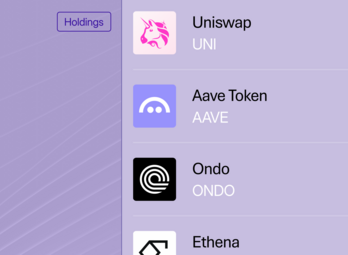
    The Republic Wallet is designed to hold cryptocurrencies, stablecoins, and real world assets. 

    Real world assets (RWAs) include tokenized equity, debt, profit sharing tokens, and other forms of digital securities. Not all blockchains support real world assets in the Republic Wallet. Currently, RWAs are offered on 

    1. SUI
    2. Avalanche
    3. Polygon
    4. Ethereum


  • I sent an asset to my Republic Wallet, but it isn't visible.

    If you sent an asset to your Republic Wallet which has not been purchased on Republic.com or a partnering platform such as INX, you will need to manually add that asset to your Republic Wallet. 

    You can do so by clicking "Add Asset" at the bottom of your wallet home page. You will need to know the information associated with that asset on the blockchain. You can find out this information from the platform where you purchased the asset or from a blockchain explorer.

  • Canton Network Specific Questions

    Why can’t I import my seed phrase into another Canton wallet provider?

    The portion of your wallet & assets built on the Canton Network differ from the other blockchains we offer in the Republic Wallet. Here is how:

    • Privacy first: Unlike public blockchains, your Canton holdings aren’t visible to everyone. Each financial institution runs its own private ledger, and those ledgers can connect with each other to share assets when needed. This design keeps your financial information private.
    • Self-custody preserved: You can still use your seed phrase because it’s the ultimate recovery tool for your entire wallet. If there’s ever an emergency with your devices—like if you accidentally reset them or lose them all—you can still use your seed phrase to regain access to your funds.
    • Why it looks different: On public chains, seed phrases let you instantly import your wallet into any provider because there’s a universal ledger everyone can read. On Canton, ledgers are private by design, so other wallet apps can’t “see” your account directly. That doesn’t take away your control—it just means the path to recovery is different.

    In short: Your Canton seed phrase is not for hopping between wallet apps. It’s your safety net, ensuring you always maintain access to your assets if you ever run into an issue.

    Do we still offer solutions for disaster scenarios where Republic Wallet is not available?

    While most blockchains offer resilience by letting you switch providers seamlessly, Canton handles disaster scenarios differently. Although uncommon, we have emergency plans for when Republic can no longer operate your ledger, including:

    1. Service disruption: Republic’s wallet service is temporarily unavailable

    2. Infrastructure issue: An unexpected issue is occurring which prevent you from accessing our systems or hosting environment

    3. Business continuity event: Regulatory, financial, or operational reasons prevent us from continuing to offer wallet services on Canton

    What happens if service is temporarily disrupted?

    If Canton service is temporarily disrupted:

    • Any customer attempting to use Canton’s network will be informed about the service disruption

    • All wallet services on Canton will be temporarily halted until the issue is resolved

    • No workarounds will be offered during the disruption to maintain the integrity of the ledger’s last known state

    • Republic will work to resolve the disruption as quickly as possible

    • Customers will be informed once service has been restored

    • Upon restoration, your wallet and assets will be exactly as they were before the disruption

    What happens if Republic’s infrastructure experiences an issue leading to data loss/corruption?

    Canton provides strong privacy by limiting data visibility to entitled parties via participant nodes. Republic’s infrastructure for Canton includes running our own participant node aka a validator. In most cases where we experience data loss, we follow Canton’s disaster recovery guidance and restore from our own backups.

    If those are unavailable, partial data recovery is still possible via an identities backup as per Canton’s procedures. Special participant nodes designated as super validators by the Canton network coordinate operations and disaster procedures for the global synchronizer and can provide partial data recovery. More information can be found in the documentation here provided by the Canton Network.

    What happens if there is a business continuity event that impacts Canton support?

    Your assets are always yours, no matter what. In the unlikely event that Republic could no longer operate your wallet, there is a procedure to ensure you never lose access.

    1. Rehoming the Ledger: Partner-led migration

      Republic would identify and designate a recovery partner to take over responsibility for hosting your ledger. This means the exact same balances and assets you already hold would continue to exist—just now operated by our recovery partner instead of Republic.

    2. Using your seed phrase to reestablish access after rehoming

      To connect to our recovery partner’s system, you would be able to use your existing seed phrase. This proves that you are the rightful owner of your assets, allowing them to “re-home” your ledger securely.

    3. Continued access to your funds

      Once rehomed, you can continue managing and transacting with your assets through the designated recovery partner’s wallet interface. Nothing about your ownership changes; the recovery process is simply about making sure your assets remain accessible even if Republic is unavailable.

    In short: Even in an emergency, designated recovery partners are the pathway to keep your assets live and usable. By using your seed phrase and staying on top of email notifications pertaining to this migration, your funds on Canton Network remain in your control.

    *Please note: This information is specifically about Canton network. Wallet/Funds access on other blockchains (Ethereum, Bitcoin, etc.), remain independently accessible in disaster scenarios using standard seed phrase export capabilities.

  • How do I withdraw my payout to my bank account?

    To move your funds from your Republic Wallet to your bank account, you can use a major cryptocurrency exchange such as Coinbase, Kraken, Crypto.com, or Binance.

    In general, the process involves:

    1. Transfer USDC from your Republic Wallet to your exchange account

    2. Convert USDC to USD and withdraw to your bank

    At this time, Republic does not support direct USDC-to-bank withdrawals within the platform. Republic does not endorse, control, or assume responsibility for any third-party exchange. 

Wallet Basics

Wallet Setup & Access

Transactions

Security & Privacy

Supported Assets & Blockchains

Supported Integrations

General Troubleshooting

Payouts

  • What is a payout?

    A payout is a revenue share distribution from an investment you made on Republic. Revenue share investments return money to investors based on the performance of the underlying project or business, according to the terms of the offering.

  • How much is being paid out?

    Each payout has a total amount determined by available revenue. Your individual payout is calculated on a pro rata basis, meaning it is proportional to how much you invested.

  • How was my payout amount calculated?

    Your payout is based on:

    • The total revenue available for distribution

    • The revenue share terms of the offering

    • Your individual investment amount

    All investors are treated proportionally and according to the rules outlined in the offering documents.

  • Why do I need to claim my payout?

    For security and regulatory reasons, Republic requires investors to actively claim each payout. This helps ensure funds are delivered to the correct wallet, your account remains secure, and receipt of the distribution is acknowledged.

    Once claimed, funds are deposited directly into your Republic Wallet.

  • How and where can I claim my payout?

    You can claim your payout directly on Republic in either of the following ways:

    • By following the link in your payout notification email

    • By navigating to your Republic Wallet and selecting the relevant asset or investment

    From there, you will see a prompt to claim any available payouts. You do not need to rely on an email link to access your funds.

  • What happens after I claim?

    After you complete the claim process:

    • Your payout is deposited into your Republic Wallet

    • Funds are delivered in USDC, a digital version of the U.S. dollar

    You can withdraw the funds to your bank or keep them for future use

  • How do I know my payout was successful?

    After you click “Claim now,” you should see a confirmation that your claim was successful. If you miss it, check your Republic wallet balance to verify that the USDC has been deposited.

  • Is there a deadline to claim?

    In most cases, payouts can be claimed at your convenience once they are available. If a deadline applies, Republic will notify you.

  • What is USDC?

    USDC (USD Coin) is a digital representation of the U.S. dollar that is designed to track the value of USD on a 1:1 basis. USDC is issued by regulated entities and is commonly used for digital payments, settlements, and investor distributions.

    While USDC is structured to closely follow the value of the U.S. dollar, it is not legal tender and is subject to issuer, operational, and market risks.

  • Why is my payout delivered in USDC?

    USDC allows Republic to deliver payouts faster, reduce processing delays and fees, support international investors, and increase transparency and reliability.

    For investors, this simply means payouts arrive digitally first and can be converted to cash whenever you choose.

  • What does the USDC network mean?

    USDC can exist on different blockchain networks, such as Ethereum, Avalanche, or others. The network refers to the underlying system used to move and record the digital dollars.

    For most investors, this does not change anything about the payout experience. Republic automatically sends USDC on the correct network for your investment, and major exchanges support these networks. You do not need to choose or manage the network yourself.

  • What do I need to complete the transfer?

    To transfer USDC, you will need:

    • An account with a supported exchange

    • Your exchange’s USDC wallet address, which functions like an account number

    • To select the correct network when transferring, which the Republic interface will guide you through

    If this is your first time, exchanges provide step-by-step instructions, and Republic Support can help if you need assistance.

  • Which exchanges can I use?

    Commonly used exchanges include:

    • U.S. investors: Coinbase, Kraken, Crypto.com

    • International investors: Binance and other reputable regional exchanges

    You may use any regulated exchange available in your country that supports USDC.

  • Can I keep my payout in USDC instead?

    Yes. You may keep USDC in your Republic Wallet for:

    • Future payouts

    • Digital transactions

    • Reinvesting in other Republic offerings

    This is similar to keeping digital dollars in a wallet or account. There is no requirement to convert immediately.

  • Can I claim via the Republic mobile app?

    Unfortunately at this time you can only claim your payout on the Republic website. App support coming soon.

  • Who can help me if I have questions?

    Republic Support is available to help with claiming payouts, wallet access, transferring or withdrawing funds, and general platform questions. Support can be reached directly through the Republic platform.

Lost Wallet

  • How can I find my seed phrase?

    If you think you’ve lost your seed phrase, don’t panic — there’s a good chance you may still have access somewhere.

    Before starting any recovery process, try the steps below.


    🖥️ Check Your Devices and Browsers

    Your wallet may still be logged in on another device.

    Try checking:

    • Your phone, tablet, or other computers

    • Browsers you commonly use (Chrome, Safari, Firefox, etc.)

    👉 If you’re still logged in anywhere, you can:

    • Open your wallet

    • Go to Settings

    • View or export your seed phrase

    ✅ This is the easiest way to recover access


    ❓ Not Sure Where You’ve Logged In?

    If you’re unsure which devices you’ve used before, you can reach out to our support team at investors@republic.com.

    We may be able to help you identify:

    • Previously used devices

    • Login history or environments


    📄 Check for a Saved PDF (Pre-2024 Wallets)

    If you created your wallet before 2024, you may have downloaded a PDF copy of your seed phrase.

    Try searching your computer for:

    • “wallet”

    • “seed phrase”

    • “recovery”

    • “Republic”

    👉 Check your Downloads folder and any folders where you save important documents


    🔐 Check Your Password Managers & Storage Tools

    Many users store their seed phrase in secure tools.

    Check places like:

    • Password managers (e.g., 1Password, LastPass, etc.)

    • Notes apps

    • Secure document storage

    • Any system you use to store important information


    ⚠️ Important Reminder

    Your seed phrase is the only way to access your wallet.

    We strongly recommend:

    • Storing it in a secure place

    • Keeping a backup (offline if possible)


    📩 Still Can’t Find It?

    If you’ve tried all of the above and still can’t locate your seed phrase, view the next page about lost seed phrases to understand your options.

  • I lost my seed phrase. What should I do?

    Losing your seed phrase can be stressful — we’re here to help you understand what your options are.


    Step 1: Check If You Still Have Access on Another Device

    Before assuming your seed phrase is lost, please check our guide for finding your seed phrase. In most common cases, your wallet is still accessible on another device or browser. Some other tips for locating your seed phrase are on the previous page. 

    • Try logging in on:

      • Your other devices (phone, tablet, or another computer)

      • Browsers you commonly use (Chrome, Safari, Firefox, etc.)

    • If your wallet is still set up, you may be able to:

      • Access your wallet using your password

      • View or export your seed phrase from within wallet settings

    👉 If you can access your wallet on any device, you may still be able to recover your seed phrase — no further recovery process is needed. 


    Step 2: Identify What Was in Your Wallet

    If you’re certain you no longer have access, the next step is to determine what types of assets were stored in your wallet, as recovery options depend on this. 


    ❌ If Your Wallet Held Cryptocurrencies or External Tokens

    If your wallet contained:

    • Cryptocurrencies (e.g., Bitcoin, Ethereum, etc.)

    • Tokens distributed directly by third-party issuers (outside of Republic)

    These assets are likely permanently lost if your seed phrase is no longer accessible.

    Because your wallet is self-custodied:

    • We do not store your seed phrase

    • We do not have access to your private keys

    • We cannot recover or reset access to these funds

    👉 You can still contact us to create a new wallet, but we will not be able to recover any funds from your previous wallet.


    ✅ If Your Wallet Held Republic Tokenized Securities or Unclaimed Stablecoin Payouts

    If your wallet contained:

    • Tokenized securities distributed directly by Republic

    • Stablecoin payouts from Republic that have not yet been claimed

    We may be able to help recover these assets by issuing a replacement wallet.

    However, please note:

    • This is a manual and time-intensive process

    • It requires multiple rounds of identity verification

    • You will need to complete:

      • Multi-factor authentication

      • Documentation and paperwork

      • Ongoing communication with our support team

    ⏳ Recovery can take time, and approval is not guaranteed.

    👉 Before reaching out, please make sure you have:

    • Thoroughly checked all devices and browsers

    • Exhausted all attempts to locate your seed phrase

    This process should only be used as a last resort.


    📩 Need Help?

    If you believe your situation qualifies for recovery of Republic-issued assets, please contact our support team at investors@republic.co. We’ll guide you through the next steps.

  • What does losing my seed phrase mean for my investments?

    Your seed phrase is the key to your wallet.
    If you lose it, you may lose access to your assets — but what happens next depends on what you own.


    🧩 Not All Assets Work the Same Way

    There are two main types of assets you might have in your wallet:


    💰 Crypto (like Bitcoin or Ethereum)

    These are fully decentralized.

    • No company controls them

    • No one can reset your access

    • Your seed phrase is the only way in

    If you lose your seed phrase:

    • ❌ Your crypto is likely gone forever

    • ❌ No one (including us) can recover it

    👉 This is how crypto is designed — full ownership, but no safety net


    🏦 Republic Investments (Tokenized Securities)

    These are different.

    • They are real investments (like shares or debt)

    • They are issued through Republic

    • They follow legal and regulatory rules

    If you lose your seed phrase:

    • ⚠️ We may be able to help recover these

    • We can sometimes move your assets to a new wallet

    👉 This works because your ownership is tied to you, not just your wallet


    ⚖️ The Simple Difference

    • Crypto = whoever has the key owns it

    • Republic investments = you own it, even if you lose access to your wallet (with verification)


    ⚠️ Important to Know

    Even for Republic investments:

    • Recovery is not instant

    • It requires:

      • Identity verification

      • Security checks

      • Manual review

    ⏳ It can take time, and not all cases are approved


    💬 One Last Thing

    Your seed phrase is extremely important — keeping it safe can save you a lot of stress.

    But if the worst happens:

    • Crypto may be lost

    • Republic investments may still have a path to recovery 


    📩 Need Help?

    If you’ve lost your seed phrase, reach out to our support team and we’ll help you understand your options.

Still have questions? Ask us directly
Republic

Giving everyone access to early-stage startup investing

For investors
  • Why invest
  • How it works
  • FAQ
  • Risks
  • Privacy policy
  • Accessibility
  • Cookie Preferences
  • Form CRS
For startups
  • Why raise
  • Learn
  • FAQ
  • Tokenized assets
Company
  • About
  • Insights
  • Events
  • Contact
  • Security
  • We're hiring!
Dollar Refer a startup, get $2,500

Invest in the app

Android app iOS app

Invest in the app

Android app iOS app

Republic Core LLC (“Core”) provides technology and support services to OpenDeal Inc. and its affiliates (collectively, the “Republic Ecosystem”). Republic Note holders and as well as users of the site and services maintained by the Republic Ecosystem, regardless of and their activities on or relating to the Republic Ecosystem, are subject to the applicable terms of service, in their entirety.

Core is currently conducting an offering of Republic Notes under Rule 506(c) of Regulation D under the Securities Act of 1933, as amended (the “Securities Act”) to persons who are accredited investors, as that term is defined in Rule 501. Only accredited investors are eligible to participate in the Rule 506(c) offering. Accredited investors who wish to participate in the Rule 506(c) offering should receive and review carefully the Private Placement Memorandum pertaining to that offering, as it contains important information for potential investors to consider prior to making an investment decision. Accredited investors who wish to participate in the Rule 506(c) offering will be required to (i) complete a subscription agreement, (ii) acknowledge that they have received and read the Private Placement Memorandum, and (iii) provide information verifying their status as accredited investors.

Core is also “testing the waters” with respect to the sale of Republic Notes under Regulation A of the Securities Act. The “testing the waters” process allows companies to determine whether there may be interest in an eventual offering of its securities to qualified purchasers under Regulation A. Core is not under any obligation to make an offering under Regulation A. No money or other consideration is being solicited for an offering under Regulation A at this time and, if sent, it will not be accepted.

Core may choose to make an offering to some, but not all, of the people who indicate an interest in investing, and that offering may or may not be made under Regulation A. For example, Core may choose to proceed with its offering under Rule 506(c) without ever conducting a Regulation A offering, in which case only accredited investors within the meaning of Rule 501 will be able to buy Republic Notes.

If and when Core conducts an offering under Regulation A of the Act, it will do so only once (i) it has filed an offering statement with the Securities and Exchange Commission (“SEC”), (ii) the SEC has qualified such offering statement and (iii) investors have subscribed to the offering in the manner provided for in the offering statement. The information in the offering statement will be more complete than any test-the-waters materials and could differ in important ways. Prospective investors who are interested in participating in the Regulation A offering must read the offering statement filed with the SEC, when that offering statement becomes publicly available.

No money or other consideration is being solicited at this time in connection with any potential Regulation A offering and, if tendered, will not be accepted. No offer to buy securities in a Regulation A offering can be accepted and no part of the purchase price can be received until an offering statement is qualified with the SEC. Any offer to buy securities may be withdrawn or revoked, without obligation or commitment of any kind, at any time before notice of its acceptance is given after the qualification date. Any indication of interest in Core’s offering involves no obligation or commitment of any kind.

Invest in startups using your credit card
You can invest using your credit card

Made in SF/NYC